PDFs, Multimodality, Vision Models
Dive deep into practical PDF processing techniques for AI applications. We'll explore how to extract, parse, and leverage PDF content effectively in your AI workflows, tackling common challenges like layout preservation, table extraction, and multi-modal content handling.
Project details
Open in GitHubAI That Works #15: PDFs, Multimodality, Vision Models
Practical techniques for processing PDFs with multimodal AI - from image preprocessing to structured data extraction
Episode Highlights
In this episode, we explored how to effectively process PDF documents using multimodal AI models. We tackled the challenge that models don't read PDFs natively but convert them to images, and demonstrated how to take control of this process for better results.
Key Topics
-
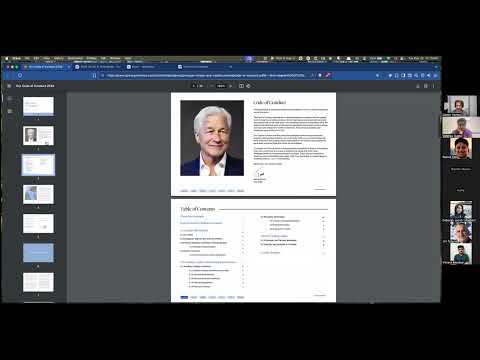
PDF Processing with Multimodal LLMs: Understanding that models don't read PDFs natively but convert them to images and OCR text, and the implications of this hidden pre-processing step.
-
Image Tokenization: A conceptual model for how images are broken into tokens and how image resolution and content density affect model performance for summarization vs. detail-oriented tasks.
-
Deterministic Pre-processing: Using standard image processing libraries (like Pillow/OpenCV) to solve parts of the problem without an LLM, such as reliably detecting and removing common headers and footers from document pages.
-
Pipeline Accuracy and Runtime Evals: The concept that multi-step AI pipelines have compounding failure rates and the strategy of using deterministic checks (e.g., summing transactions) to validate LLM output in real-time.
-
Handling Edge Cases: Practical techniques for solving common document processing challenges, such as parsing records that are split across a page break by providing cropped context from the previous page.
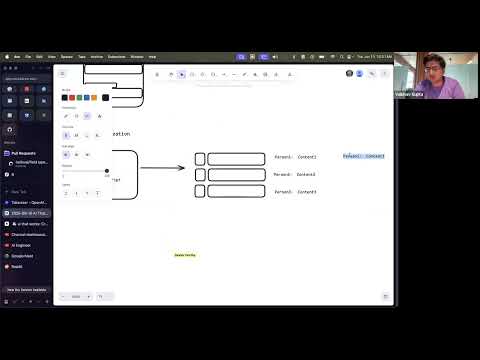
Whiteboards
Main Takeaways
Control your pre-processing pipeline
If a model provider's direct PDF upload fails, manually convert your PDF pages to images using a library like pdf2image. This gives you control over resolution and prepares you for further cleaning steps.
Use pixel-wise image diffing to remove boilerplate
To remove headers and footers, use a function like ImageChops.difference() from the Python Pillow library on two separate pages. This quickly and cheaply identifies common elements, allowing you to mask them before sending the image to an LLM.
Provide context for page-spanning data
To handle data split between pages, pass both the current page image and a cropped image of the bottom section of the previous page in a single prompt. This gives the model the visual context it needs to stitch the information together correctly.
Build validation into your prompts
When extracting structured data like financial transactions, also prompt the model to extract summary figures. Then, write simple, deterministic code to validate that the parts add up to the whole. If they don't, you've successfully caught a hallucination.
Build hybrid AI systems
The most reliable and production-ready applications combine the generative power of LLMs with deterministic code (e.g., math, image processing libraries) for pre-processing and validation. Don't use an LLM for tasks that have a simpler, more reliable solution.
Context engineering is crucial for vision models
When you give a model a PDF or image, you are implicitly relying on a black-box pre-processing and tokenization layer. For high-stakes applications, take control of this process: convert PDFs to images, clean them, and manage their resolution and content to guide the model's attention effectively.
Implement runtime validation loops
Never trust a single LLM output for critical data extraction. Break the problem into extraction and validation steps. For example, extract transactions and a summary total, then use code to verify that they match. This allows you to catch errors, re-prompt for corrections, or escalate to a human.
Technical Implementation
The code demonstrates:
- Converting PDF pages to images using
pdf2image - Using vision models to classify page types
- Extracting structured transaction data from financial documents
- Implementing validation checks to ensure data accuracy
- Handling multi-page documents without duplicating transactions
Key Components
main.py- Core implementation for PDF processing pipelinebaml_src/- BAML prompts for page classification and data extractiondata/- Sample PDF pages for testing
Running the Code
# Install dependencies
uv sync

# Run the PDF processing example
python main.py
Resources
Next Week
Join us for AI That Works #16: Evaluating Prompts Across Models where we'll do a super-practical deep dive into real-world examples and techniques for evaluating a single prompt against multiple models. RSVP here