🦄 Bash vs. MCP - token efficient coding agent tooling
In this conversation, Dex and Vaibhav delve into the intricacies of coding agents, focusing on the debate between using MCP (Model Control Protocol) and Bash for tool integration. They explore the importance of understanding context windows, token management, and the efficiency of using different tools. The discussion emphasizes the significance of naming conventions, dynamic context engineering, and the engineering efforts required to optimize performance. They also share real-world applications, best practices for using MCPs, and engage with the community through a Q&A session.
Project Details
Open in GitHub🦄 ai that works: Bash vs. MCP - Token Efficient Coding Agent Tooling
In this episode, Dex and Vaibhav delve into the intricacies of coding agents, focusing on the debate between using MCP (Model Control Protocol) and Bash for tool integration, exploring context windows, token management, and optimization strategies.
Links:
Episode Overview
This episode explores the fundamental trade-offs between using Bash and MCP (Model Control Protocol) for coding agent tool integration. The hosts demonstrate real-world examples comparing token usage, examine the impact on context windows, and share advanced techniques for optimizing coding agent performance.
Key Topics Covered
- Token efficiency and the downsides of JSON in tool definitions
- Understanding context windows and their impact on model accuracy
- Writing your own drop-in replacements for MCP tools
- Naming conventions and their critical role in model outputs
- Dynamic context engineering techniques
- Advanced tricks like .shims for forcing uv instead of python or bun instead of npm
- Real-world applications and performance optimizations
- Best practices for using MCPs effectively
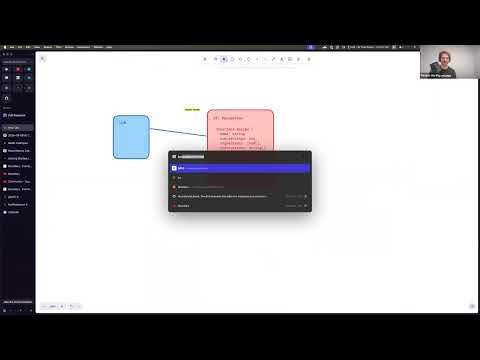
Whiteboards
Key Takeaways
- There is no one-size-fits-all solution in coding agents - choose tools based on your specific needs
- Understanding the underlying mechanics of models and context management is crucial for effective use
- The accuracy of results can be significantly impacted by how you manage context
- MCP tools can simplify integration for those unfamiliar with APIs, but come with token overhead
- Dynamic context engineering can enhance the performance of coding agents
- Naming conventions play a critical role in the accuracy of model outputs
- Efficient token usage is essential for maximizing context window effectiveness
- Real-world applications demonstrate the practical implications of these concepts
- Flexibility in tool usage allows for better customization and performance
- Community engagement and feedback are vital for continuous improvement
Episode Highlights
"Token efficiency isn't just about saving money - it's about preserving context space for what really matters."
"Naming conventions matter more than you think. The names you give your tools directly impact how accurately the model uses them."
"Don't just blindly use MCP for everything. Understand the trade-offs and pick the right tool for the job."
Resources
- Session Recording
- Discord Community
- Sign up for the next session on Luma
Whiteboards
Code Overview
example claude output w/ token ccounts
claude -p "write foo to bar.txt" \
    --allowedTools=Write,Read,Edit \
    --output-format=stream-json \
    --verbose
output message (trimmed, formatted)
{
    "input_tokens":4,
    "cache_creation_input_tokens":24841
    "cache_read_input_tokens":4802,
    "cache_creation":{
       "ephemeral_5m_input_tokens":24841,
       "ephemeral_1h_input_tokens":0
    },
    "output_tokens":129,
    "service_tier":"standard"
}
Claude w/ the token counter
claude -p "write foo to bar.txt" \
    --allowedTools=Write,Read,Edit \
    --output-format=stream-json \
    --verbose \
    | bun run src/inspect-logs.ts --stdin
Running it again with the cache
claude -p "write foo to bar.txt" \
    --allowedTools=Write,Read,Edit \
    --output-format=stream-json \
    --verbose \
    | bun run src/inspect-logs.ts --stdin
Running it again without the cache
claude -p "PLEASE write foo to bar.txt" \
    --allowedTools=Write,Read,Edit \
    --output-format=stream-json \
    --verbose \
    | bun run src/inspect-logs.ts --stdin
Streaming cache_creation_input_tokens:
--------------------------------------------------
Line 2: assistant (text)                         cache_creation: 12672
Line 5: assistant (tool_use)                     cache_creation: 184
Line 7: assistant (tool_use)                     cache_creation: 184
Line 9: assistant (text)                         cache_creation: 185
Line 10: result                                   cache_creation: 0
--------------------------------------------------

Total tool calls: 3
Total cache creation tokens: 13225
Adding MCP tools and inspecting context differences
use mcp-linear.json to add linear mcp tools
claude -p "write arg foo to bar.txt" \
    --allowedTools=Write,Read,Edit \
    --output-format=stream-json \
    --verbose \
    --mcp-config=mcp-linear.json \
    | bun run src/inspect-logs.ts --stdin
Streaming cache_creation_input_tokens:
--------------------------------------------------
Line 2: assistant (text)                         cache_creation: 18395
Line 5: assistant (tool_use)                     cache_creation: 171
Line 7: assistant (tool_use)                     cache_creation: 184
Line 9: assistant (text)                         cache_creation: 207
Line 10: result                                   cache_creation: 0
--------------------------------------------------

Total tool calls: 3
Total cache creation tokens: 18957
Linear CLI
export LINEAR_API_KEY=sk-xxxxxxxxxxxxxxxxxxxxxxxxxxxxxxxxxxxxxxxx

bun run linear-cli/linear-cli.ts get-issue ENG-1709
bun run linear-cli/linear-cli.ts get-issue ENG-1709 --comments
cp CLAUDE_linear_cli.md CLAUDE.md
claude -p "write arg foo to bar.txt" \
    --allowedTools=Bash(bun run linear-cli/:*) \
    --output-format=stream-json \
    --verbose \
    | bun run src/inspect-logs.ts --stdin
now fetch the issue
claude -p "fetch issue ENG-XXXX" \
    --allowedTools=Bash(bun run linear-cli/:*) \
    --output-format=stream-json \
    --verbose \
    | bun run src/inspect-logs.ts --stdin
now fetch the issue and all comments
claude -p "fetch issue ENG-XXXX and all comments" \
    --allowedTools=Bash(bun run linear-cli/:*) \
    --output-format=stream-json \
    --verbose \
    | bun run src/inspect-logs.ts --stdin
now fetch with mcp
cp CLAUDE_linear_mcp.md CLAUDE.md
claude -p "fetch issue ENG-1709" \
    --allowedTools='mcp__linear2__*' \
    --output-format=stream-json \
    --verbose \
    --mcp-config=mcp-linear.json \
    | bun run src/inspect-logs.ts --stdin
claude -p "fetch issue ENG-1709 and all comments" \
    --dangerously-skip-permissions \
    --output-format=stream-json \
    --verbose \
    --mcp-config=mcp-linear.json \
    | bun run src/inspect-logs.ts --stdin
All Episodes
Using AI for Writing
Everyone is complaining about how bad AI is at writing prose, but with the right workflow, you can produce good things. Vaibhav and Dex will share their workflow for writing no-slop technical posts that are actually fun to read. Meet the Speakers🧑💻 Meet Vaibhav Gupta, one of the creators of BAML and YC alum. He spent 10 years in AI performance optimization at places like Google, Microsoft, and D. E. Shaw. He loves diving deep and chatting about anything related to Gen AI and Computer Vision! Meet Dex Horthy, founder at HumanLayer and coiner of the term Context Engineering. He spent 10+ years building devops tools at Replicated, Sprout Social and JPL. DevOps junkie turned AI Engineer.
Building Evals on Production Data
We’ve done a ton of deep dives on eval design and eval frameworks, today we’re gonna talk about practical examples for taking production data and using to design and extend your eval system. Meet the Speakers🧑💻 Meet Vaibhav Gupta, one of the creators of BAML and YC alum. He spent 10 years in AI performance optimization at places like Google, Microsoft, and D. E. Shaw. He loves diving deep and chatting about anything related to Gen AI and Computer Vision! Meet Dex Horthy, founder at HumanLayer and coiner of the term Context Engineering. He spent 10+ years building devops tools at Replicated, Sprout Social and JPL. DevOps junkie turned AI Engineer.

Software Factory Debate
Zach is the CTO of Warp, and he has a lot to say on software factories and how to get the most out of agentic coding. Dex and Zach agree on some things, and it seems like they might disagree on one or two. Whiteboard-backed debate format moderated by Vaibhav, so it will probably get extra spicy. don’t miss this one. Meet the Speakers🧑💻 Meet Vaibhav Gupta, one of the creators of BAML and YC alum. He spent 10 years in AI performance optimization at places like Google, Microsoft, and D. E. Shaw. He loves diving deep and chatting about anything related to Gen AI and Computer Vision! Meet Dex Horthy, founder at HumanLayer and coiner of the term Context Engineering. He spent 10+ years building devops tools at Replicated, Sprout Social and JPL. DevOps junkie turned AI Engineer.

Building a Memory Pipeline
We've discussed how to build memory supervisors and memory pipelines before, but in this episode we're going to dive into real code and make it happen with real problems and real constraints. Meet the Speakers🧑💻 Meet Vaibhav Gupta, one of the creators of BAML and YC alum. He spent 10 years in AI performance optimization at places like Google, Microsoft, and D. E. Shaw. He loves diving deep and chatting about anything related to Gen AI and Computer Vision! Meet Dex Horthy, founder at HumanLayer and coiner of the term Context Engineering. He spent 10+ years building devops tools at Replicated, Sprout Social and JPL. DevOps junkie turned AI Engineer.
GTM Engineering and AI at Rippling
In this episode, we break down GTM Engineering, the practice of applying software engineering principles, custom data pipelines, and AI agents to go-to-market ops. We will be joined by John Kutay at Rippling to see how they do this in practice Meet the Speakers🧑💻 Meet Vaibhav Gupta, one of the creators of BAML and YC alum. He spent 10 years in AI performance optimization at places like Google, Microsoft, and D. E. Shaw. He loves diving deep and chatting about anything related to Gen AI and Computer Vision! Meet Dex Horthy, founder at HumanLayer and coiner of the term Context Engineering. He spent 10+ years building devops tools at Replicated, Sprout Social and JPL. DevOps junkie turned AI Engineer.

All About Jev
Jev has been making lots of waves in the AI world this week. This week on the podcast, we will dive into jev and discuss how token generation may be holding back your agent architecture and how jev compares to and complements BAML. We'll look at what type safety means across different layers of the stack, why generating text for routing and classification is an antipattern, and how to combine fast decision models with BAML-orchestrated workflows for production agent architecture. Meet the Speakers🧑💻 Meet Vaibhav Gupta, one of the creators of BAML and YC alum. He spent 10 years in AI performance optimization at places like Google, Microsoft, and D. E. Shaw. He loves diving deep and chatting about anything related to Gen AI and Computer Vision! Meet Dex Horthy, founder at HumanLayer and coiner of the term Context Engineering. He spent 10+ years building devops tools at Replicated, Sprout Social and JPL. DevOps junkie turned AI Engineer.

performance engineering
When milliseconds are too slow, you have to engineer for nanoseconds. This week, we're unpacking N5-level optimization for AI workloads and what it takes to shave off ultimate low-level latency. We discuss the engineering techniques required to strip away overhead, optimize memory throughput, and push inference infrastructure to absolute hardware limits. Meet the Speakers🧑💻 Meet Vaibhav Gupta, one of the creators of BAML and YC alum. He spent 10 years in AI performance optimization at places like Google, Microsoft, and D. E. Shaw. He loves diving deep and chatting about anything related to Gen AI and Computer Vision! Meet Dex Horthy, founder at HumanLayer and coiner of the term Context Engineering. He spent 10+ years building devops tools at Replicated, Sprout Social and JPL. DevOps junkie turned AI Engineer.

Software Factories: Hands on with Real Builders
We had some really cool unconference talks from hands-on software factory builders, and this week we're gonna bring them on the show to talk about how they build their start up, week in week out, with background agents that get smarter every week. Meet the Speakers🧑💻 Meet Vaibhav Gupta, one of the creators of BAML and YC alum. He spent 10 years in AI performance optimization at places like Google, Microsoft, and D. E. Shaw. He loves diving deep and chatting about anything related to Gen AI and Computer Vision! Meet Dex Horthy, founder at HumanLayer and coiner of the term Context Engineering. He spent 10+ years building devops tools at Replicated, Sprout Social and JPL. DevOps junkie turned AI Engineer.
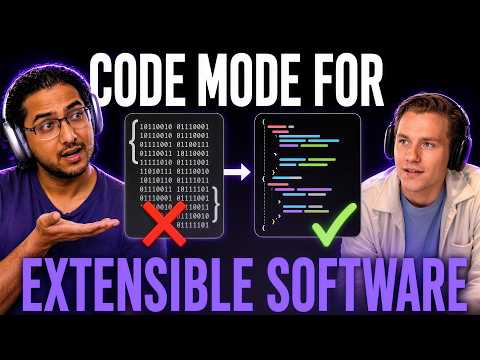
Code Mode for Extensible Software
Making software extensible has always involved designing good and flexible interfaces (e.g. vs code extensions, iphone apps). But the most flexible interface is code, and today Vaibhav's gonna share some very futuristic ideas on what the next generation of customizable tools looks like. Meet the Speakers🧑💻 Meet Vaibhav Gupta, one of the creators of BAML and YC alum. He spent 10 years in AI performance optimization at places like Google, Microsoft, and D. E. Shaw. He loves diving deep and chatting about anything related to Gen AI and Computer Vision! Meet Dex Horthy, founder at HumanLayer and coiner of the term Context Engineering. He spent 10+ years building devops tools at Replicated, Sprout Social and JPL. DevOps junkie turned AI Engineer.
Software Factory Design Patterns
In this episode, we'll talk about key interfaces and how they fit together in the modern software factory, what you could buy vs build, what you should always own, across compute, dev environment, harness, and orchestration. We'll dig into how sessions / traces / artifacts / plans all become perrs of code in the new forge / system of record for software Meet the Speakers🧑💻 Meet Vaibhav Gupta, one of the creators of BAML and YC alum. He spent 10 years in AI performance optimization at places like Google, Microsoft, and D. E. Shaw. He loves diving deep and chatting about anything related to Gen AI and Computer Vision! Meet Dex Horthy, founder at HumanLayer and coiner of the term Context Engineering. He spent 10+ years building devops tools at Replicated, Sprout Social and JPL. DevOps junkie turned AI Engineer.
syncs and A/B testing 200 agents
We've got a special two-part episode for you this week! We brought on two guests to tackle two massive technical challenges in production AI: What actually happens when you spin up 200 agents in parallel to run real A/B tests? How do you cleanly sync data all the way from raw state, through your agent layer, down to the frontend? Tune in for practical takeaways on scaling agent infrastructure that works. Meet the Speakers🧑💻 Meet Vaibhav Gupta, one of the creators of BAML and YC alum. He spent 10 years in AI performance optimization at places like Google, Microsoft, and D. E. Shaw. He loves diving deep and chatting about anything related to Gen AI and Computer Vision! Meet Dex Horthy, founder at HumanLayer and coiner of the term Context Engineering. He spent 10+ years building devops tools at Replicated, Sprout Social and JPL. DevOps junkie turned AI Engineer.
Unconference RECAP
On Saturday, August 8th, we are hosting another unconference bringing together some of the brighest minds in AI. This week on the podcast we will be recapping it! What were some of the best takeaways? What did we learn? If you aren't attending the unconference, definitely tune into this episode to see what you missed. Meet the Speakers🧑💻 Meet Vaibhav Gupta, one of the creators of BAML and YC alum. He spent 10 years in AI performance optimization at places like Google, Microsoft, and D. E. Shaw. He loves diving deep and chatting about anything related to Gen AI and Computer Vision! Meet Dex Horthy, founder at HumanLayer and coiner of the term Context Engineering. He spent 10+ years building devops tools at Replicated, Sprout Social and JPL. DevOps junkie turned AI Engineer.

SlopCodeBench
On the podcast this week, we will examine a new AI coding benchmark called SlopCodeBench (SCBench), which aims to evaluate how software is truly developed. While typical benchmarks evaluate models using single-shot solutions against specifications, they fail to address the long-term difficulties of software development. Creating an initial solution is simple; the real challenge lies in extending, refactoring, and maintaining code over time. SCBench addresses this gap by requiring frontier models to continually build upon their own previously generated code across multi-checkpoint trajectories. Meet the Speakers🧑💻 Meet Vaibhav Gupta, one of the creators of BAML and YC alum. He spent 10 years in AI performance optimization at places like Google, Microsoft, and D. E. Shaw. He loves diving deep and chatting about anything related to Gen AI and Computer Vision! Meet Dex Horthy, founder at HumanLayer and coiner of the term Context Engineering. He spent 10+ years building devops tools at Replicated, Sprout Social and JPL. DevOps junkie turned AI Engineer.

Your Model is Already Obsolete
In the last month alone: Opus 5, Sonnet 5, Grok 4.5, Kimi K3, GPT-5.6, Gemini 3.6. Any one of them might make your agent smarter or your system cheaper. That's the fun part. The less fun part is that every model you're running in production today just got a month closer to its retirement date. Model deprecation is one of the only outages you get advance notice of, and teams still manage to take it as a surprise. This week on the podcast we show you how to make model swaps into a non-event instead of a p0. Meet the Speakers🧑💻 Meet Vaibhav Gupta, one of the creators of BAML and YC alum. He spent 10 years in AI performance optimization at places like Google, Microsoft, and D. E. Shaw. He loves diving deep and chatting about anything related to Gen AI and Computer Vision! Meet Dex Horthy, founder at HumanLayer and coiner of the term Context Engineering. He spent 10+ years building devops tools at Replicated, Sprout Social and JPL. DevOps junkie turned AI Engineer.
No Vibes Allowed - July Edition
This week on the podcast we will be hosting another session of our No Vibes Allowed series. Join us to see how everyting we've talked about get implemented in real code to solve real problems in our codebases. Meet the Speakers🧑💻 Meet Vaibhav Gupta, one of the creators of BAML and YC alum. He spent 10 years in AI performance optimization at places like Google, Microsoft, and D. E. Shaw. He loves diving deep and chatting about anything related to Gen AI and Computer Vision! Meet Dex Horthy, founder at HumanLayer and coiner of the term Context Engineering. He spent 10+ years building devops tools at Replicated, Sprout Social and JPL. DevOps junkie turned AI Engineer.
SOTA Coding Agent Benchmarks
We've had a lot of benchmarks for coding agents for a long time. We'll talk about the past generation and the new generation, what they're doing differently, as well as... I don't know. come hang it will be good. Meet the Speakers🧑💻 Meet Vaibhav Gupta, one of the creators of BAML and YC alum. He spent 10 years in AI performance optimization at places like Google, Microsoft, and D. E. Shaw. He loves diving deep and chatting about anything related to Gen AI and Computer Vision! Meet Dex Horthy, founder at HumanLayer and coiner of the term Context Engineering. He spent 10+ years building devops tools at Replicated, Sprout Social and JPL. DevOps junkie turned AI Engineer.

agent observability
In this episode, we will dive into AI agent observability and answer a question every production engineer eventually faces: how do you diagnose why an autonomous agent went off the rails three days ago? When you are dealing with non-deterministic tools, old-school debugging habits like inserting `print("here")` statements fails to scale. We will break down the essentials of modern agent tracking, from implementing structured logging for complex tool calls to establishing robust tracing that allows you to replay and reconstruct an agent's exact decision tree.

Software Factory for Agent Tools
Everyone's obsessed with software factories, and the core of a software factory is a persistent feedback loop - in this episode Vaibhav and Dhilan will showcase a loop they built to test new BAML language features 24/7 and improve the language based on feedback from coding agents trying to implement features.
Product Specs with AI
We've talked a lot about design discussions for planning work with AI and getting leverage before writing the code, but this process has a common pitfall: it combines product decisions (how does it work, what is the user experience) with technical decisions (how do we build it, what patterns do we follow). This complecting of concerns can cause important questions to be missed. On today's AI that works we'll dig into techniques to split out product vs. technical questions to enable less-technical folks to participate in product specification that is grounded in codebase research, and ensure technical depth is achieved without getting distracted by product questions.

Hands-on with Fable 5
We had agent observability on the schedule, but Anthropic shipped Fable 5 about twenty minutes before we went live, so we tossed the plan and got hands-on with the new model instead. Zero prep, all live. This is an unscripted look at exactly how we kick the tires on a fresh model release: take the hardest problem you're already deep in, hand it over, and watch whether it finds leverage you didn't. Vaibhav ran it against an in-progress design doc for the BAML VM's observability layer, Dex ran it against an old race-condition benchmark he keeps around, and we talk through what the model caught, what it missed, and why most model releases are more hype than the value they deliver day to day.

How to Build AI Agents that Work in Any Language
In this episode, we discuss the challenge of building multilingual AI applications that perform consistently whether your user is interacting in English, Spanish, French, whatever. Can you simply run an English prompt through a basic translator? Or will that break down in production? We'll be breaking down practical engineering strategies for designing flexible, cross-lingual prompt architectures that maintain semantic alignment without forcing you to build and manage separate pipelines for every language.
No Vibes Allowed: Performance Engineering
This week on the podcast, we are doing another no vibes allowed episode focusing on performance engineering. We will dive into high-performance engineering on virtual machines to help you maximize efficiency out of your compute infrastructure. When you are deploying heavy LLM workloads or complex pipelines, an unoptimized VM can lead to crippling latency, memory bottlenecks, and ballooning costs that break your application in the real world. We break down practical techniques to configure your environments, manage resources, and eliminate overhead so your models run flawlessly under pressure.
How AI Agents Can Safely Ship Code to Production
This week, the top headline is vibe coders realizing that they can use feature flags to ship experimental (read: slop) features to production without impacting all customers. Shipping code is a lot harder when everything is changing all the time. Feature flags can be a good technique to test various things, but how do you set that up? Do you feature flag new models? New prompts? New harnesses? We'll dive into details here and see where feature flags improve your product delivery vs. just giving you an excuse to ship more slop.
"Code Mode" Deep Dive
On Monday, Pash from OpenAI shared that Codex has a secret "code mode" feature - an alternative to traditional tool calling. There's a lot of debate going on around the best way to give tools to models - skills vs. mcps, CLIs and bash vs custom tools, or letting the model write code for everything. In this episode we're going to cut through the hype and dive deep on the differences and tradeoffs between these methods. • What is "code mode" and how does it work • Tradeoffs between MCP vs. Bash+CLI vs. Code mode • Why it matters to agent or harness builders
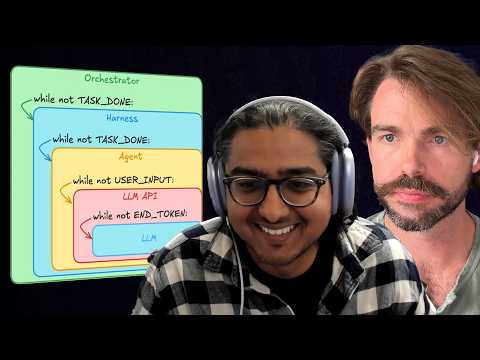
OpenAI tells you not to build your own harness
Harness engineering is all the hype now, so on this week on the podcast we're looking back to an article written by OpenAI in February about harness engineering, "Harness engineering: leveraging Codex in an agent-first world". In this article, they claim that the era of "hand-written code" is officially over. We break down their experiment of shipping a million-line product with zero manual coding, shifting the human role from "coder" to "environment designer."

No Vibes Allowed - Building Design Docs with AI
In this month's no vibes allowed episode, Vaibhav will show how he uses AI to make design docs for complicated tasks by building out an actual design doc for a feature in BAML. As always for our no vibes allowed series, we will be solving real problems in real production systems.

Harness Engineering Without the Hype
This week on the pod we are going to cut through the hype around harness engineering and separate the signal from the noise. Join us to watch Dex crash out about this and expose the reality.
Agentic Coding for Frontend Apps
We do a lot of deep research and planning advice for building complex backend systems but in this week's episode, we're gonna talk about ways you can move faster and maintain quality for frontend code. While backend systems rely on good overall design and tend to be programatically verifiable, frontends require much tighter iteration loops and taste, and these explorations just don't suit themselves to complex up front planning. On the other hand, that shouldn't be an excuse to just regress to yoloing prompts. Good frontend code requires taste, judgement, and is just as vulnerable to a descent into chaotic spaghetti slop. Similar to our learning tests episode, this chat will cover small tactical side quests you can incorporate into your planning and development workflow to improve your frontend throughput. We'll primarily explore storybook as a vessel for interacting with and previewing UI, and approaches to separate presentation logic from business logic. By the end, you may find yourself wanting to ditch figma altogether and just write the components live.
SSE Streaming
This week we build a real-time site summarizer using Server-Sent Events (SSE) streaming. We crawl a website, summarize each page with an LLM using BAML's semantic streaming, and stream partial results back to the browser as they're generated. We cover batched async concurrency, FastAPI SSE endpoints, and BAML's @stream.done/@stream.not_null attributes for controlling what streams and what waits.

No Vibes Allowed March Edition
This week on the podcast is our March episode of our no vibes allowed series! Join us to watch how we implement everything we discuss on a weekly basis in our company's product. Real code, real trade-offs, and real production systems
MCP is Dead?
MCP isn't dead...or is it? This week on the podcast, we'll dive into this debate. What is the state of MCP today?

Prompt Injections Guardrails
A major risk factor in agentic coding is Prompt Injections. Tool output, document retrieval, system prompts all get inputted into the LLM and are all at risk of prompt injections. This week on the podcast, we're going to cover how to handle this risk. We will discuss how to protect system prompts, avoid hijacking, and implementing ethical guards
Claude Agent Skills Deep Dive
Claude Code has exploded in its abilities over the past 8 months, and it can be hard to keep up. Seemingly overnight, everyone is discussing claude's skills, commands, agents, and subagents, and a lot of the literature out there already assumes you know what these are. This week on the podcast, we're going to go over all of them. We will discuss what each one is, how and when to use it, what the benefits and drawbacks are, and how they fit into the broader context engineering picture.
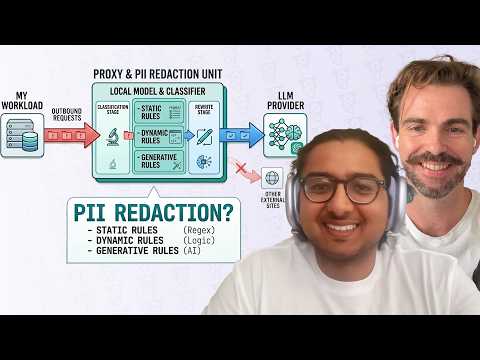
PII Redaction and Sensitive Data Scrubbing
When building generative AI systems, one of the biggest risks companies face is the LLM accidentally exposing PII or PHI to an end user that isn't cleared to see it. This week on the podcast, we'll cover how to fix this problem. We'll discuss what prompting techniques you can use, and more importantly, we'll discuss how you can build evals to get comfortable with shipping these systems to users.
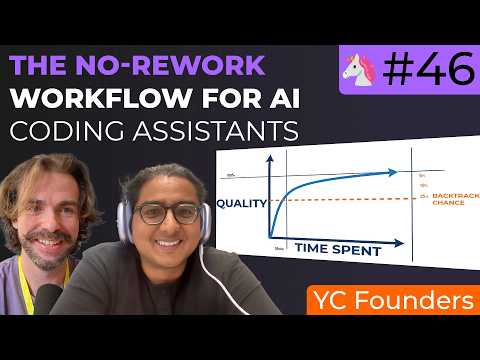
No Vibes Allowed February
In our February edition of our No Vibes Allowed series, we will be coding and shipping real features in our products using all of the concepts we cover on this podcast, including using advanced context engineering and backpressure. Join us to see how these concepts apply to real code and real products.
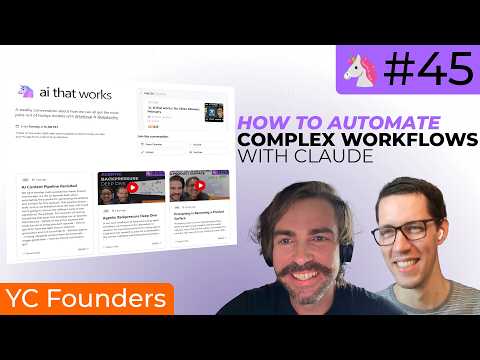
AI Content Pipeline Revisited
We have another meta episode this week! Several months ago, we did an episode back about automating the pipeline for generating the artifacts and content for this podcast. That pipeline became stale, and so we breathed some life back into it and we're going to discuss the different parts of that pipeline on the podcast. This episode will discuss everything that goes into bringing you an episode. We'll discuss - Details of the entire pipeline and tools we use to bring you each episode - How to get AI to have the right tone in freeform generation and not sound like AI - Browser agents - Finding clippable content from the transcript - Image generation - How far should automation go?
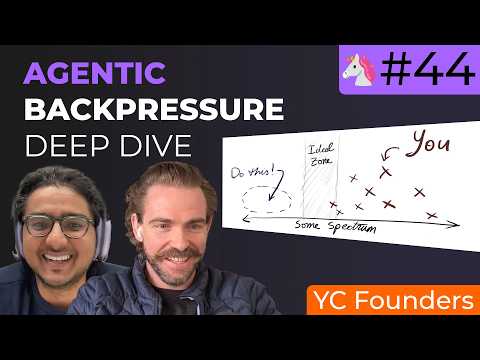
Agentic Backpressure Deep Dive
In our next installment of advanced coding agent workflows, we'll explore some alternatives to research for improving results from coding agents. Code and web research is great for understanding the current codebase and finding documentation, but neither of these things is as concrete, and can still lead to hallucinations or incorrect assumptions. In this episode, we'll talk about learning tests and proof-driven-dev - writing small PoC programs and tests that lay the groundwork to confirm understanding of external systems, *before* you get deep into implementation. This will extend our previous conversation about agentic backpressure and building deterministic feedback loops to help coding agents work more autonomously.
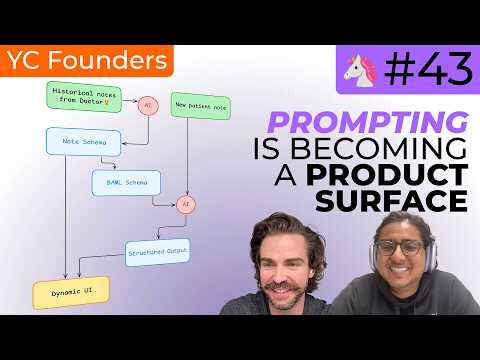
Prompting Is Becoming a Product Surface
Prompting used to be an engineering problem. Write the right string, tweak it until the model behaves, ship it behind the scenes. That breaks the moment real users show up. Customers don't think in prompts — they think in goals. They want to explain what they're trying to accomplish, not debug a magic sentence. So prompting is moving into the product. Interfaces matter. Structure matters. Guardrails and feedback matter. The real work now isn't prompt cleverness — it's building systems that let people express intent in a way software can actually understand and trust.
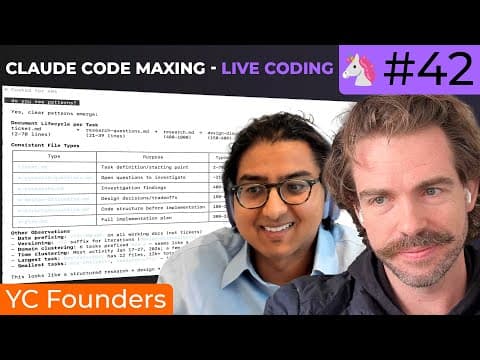
No Vibes Allowed
We received great feedback from our previous live coding sessions, so this week we are bringing it back this week by live streaming while we add more features to BAML. We have discussed a lot of topics over the past several months, and we will be digging into the how to put many of these concepts into practice as we build out actual features in the product.

Email is All You Need
Email is about as adversarial as inputs get: malformed HTML, inconsistent templates, human writing, forwarded junk, zero standards. And yet entire business workflows depend on it. This week we're digging into what it takes to build a real email workflow engine where LLMs aren't demos, but are part of production infrastructure. We'll cover: - Handling long-tail edge cases and weird inbox behavior - Validating and correcting extractions before they break downstream systems - Maintaining accuracy across thousands of formats and senders
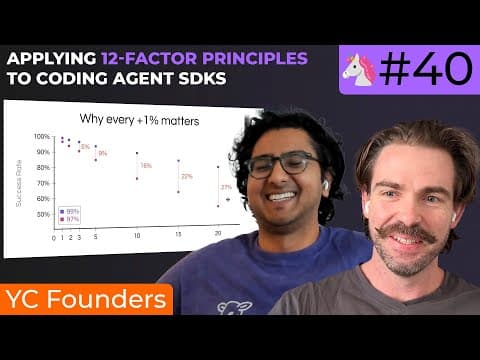
Applying 12-Factor Principles to Coding Agent SDKs
We've done a lot of talking in the last few months about prompting coding agents and context engineering w/ markdown files, but today we'll talk about how to squeeze even more out of agents by using agent loops as smaller elements of a deterministic workflow. In this session we'll cover: - using the claude agent sdk to stitch together microagent workflows - accumulating user rules across context windows - json state and structured outputs with zod - session continuation and forking vs. direct compaction
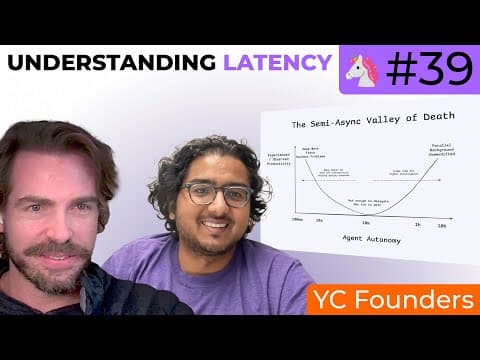
Understanding Latency in AI Applications
A deep dive into performance engineering for AI applications. We explore all the bottlenecks in agent systems - from prompt caching and token optimization to semantic streaming and UI design. Learn how to make your agents feel faster through strategic latency reduction and smart UX choices.
Founding Boundary: Vaibhav's Journey
End of year special part 2: Vaibhav shares his journey from building card games in 7th grade to founding Boundary and creating BAML. From Microsoft to Google to 12 pivots as a YC founder, hear the story behind the programming language for AI pipelines.

Founding HumanLayer: Dex's Journey
End of year special part 1: Dex shares his journey from physics undergrad with half a CS minor to founding HumanLayer. From Sprout Social to Replicated to building AI agents for data warehouses, hear how the path to founding a developer tools company is never a straight line.
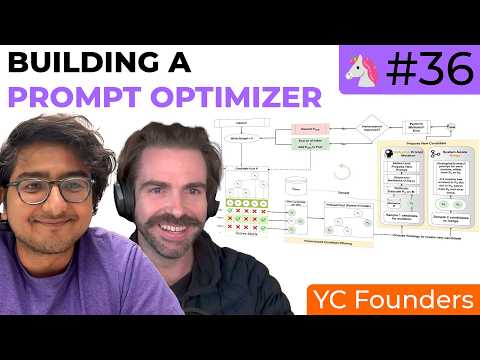
Building a Prompt Optimizer
What happens when models can write really good prompts? We dive deep into prompt optimization, exploring JEPA (Genetic Pareto) algorithm, how it works under the hood, and whether you can build your own optimizer. Live demo of a prompt optimizer built with BAML.
Git Worktrees for AI Coding Agents
Since ~ May 2025, there's been a ton of buzz around AI coding agents, parallelizing workflows, and it's not stopping any time soon. On this episode we'll go deep on the tech that can help you push the limits of these tools, including: - Crash course on Git Worktrees - File and Spec Management, tradeoffs in hardlinks vs symlinks - tmux as a building block for collaborative agent workflows
Multimodal Evals
Building evals for multimodal AI - testing vision models, document understanding, and image analysis with structured evaluation frameworks.

No Vibes Allowed: Using CodeLayer to Build CodeLayer
Live coding with CodeLayer, we'll use Research / Plan / Implement live to ship 3 new features to CodeLayer.
Building an Animation Pipeline
We do a lot of work with Excalidraw, and this session shows the AI-first workflow for turning any sketch into a finished animation. We'll blend Claude Code with custom TypeScript scripts, wire up interactive slash commands, and add browser automation to existing OSS tools to export polished WebM assets.
Dates, Times, and LLMs
How do you make an LLM amazing at dates? Relative dates, absolute dates, timezones, all that madness. Let's talk dates, times, and all that goodness.
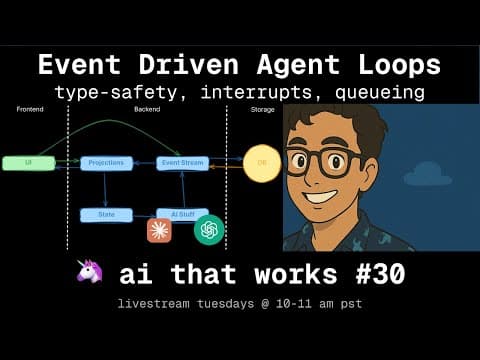
Event-driven agentic loops
Key takeaway: treat agent interactions as an event log, not mutable state. Modeling user inputs, LLM chunks, tool calls, interrupts, and UI actions as a single event stream lets you project state for the UI, agent loop, and persistence without drift. We walk through effect-ts patterns for subscribing to the bus, deriving “current” state via pure projections, and deciding when to persist or replay events—plus trade-offs for queuing, cancelation, and tool orchestration in complex agent UX.
Ralph Wiggum under the hood: Coding Agent Power Tools
We've talked a lot about how to use context engineering to get more out of coding agents. In this episode, we dive deep on the Ralph Wiggum technique and why this different approach can reshape your coding workflow. We explore how Ralph handles greenfield work, refactors, and spec generation—surprise: it's all about higher-quality context engineering.
Agentic RAG + Context Engineering
In this conversation, Vaibhav Gupta and Dex explore the intricacies of building an Agentic Retrieval-Augmented Generation (RAG) system. They discuss the differences between traditional RAG and Agentic RAG, emphasizing the flexibility and decision-making capabilities of the latter. The conversation includes a live demo of a coding agent, insights into the coding architecture, challenges faced during tool implementation, and the iterative process of refining the system. They also touch on the integration of web search functionalities and the evaluation of tool effectiveness, providing a comprehensive overview of the development process and the underlying principles of Agentic RAG systems. In this conversation, Vaibhav Gupta and Dex discuss the intricacies of building dynamic AI systems, focusing on tool implementation, user interface optimization, and model performance. They explore the importance of reinforcement learning in training models, the challenges of debugging AI systems, and the significance of writing code to enhance understanding and efficiency in AI development. The dialogue emphasizes the balance between different AI approaches and the necessity of real use cases in building effective solutions.
No Vibes Allowed - Live Coding with AI Agents
Vaibhav Gupta and Dex demonstrate the power of AI-assisted coding by implementing a complex timeout feature for BAML (a programming language for AI applications) in a live coding session. Starting from a GitHub issue that had been open since March, they showcase a systematic workflow: specification refinement, codebase research, implementation planning, and phased execution. Using Claude and specialized coding agents, they navigate a 400,000+ line codebase, implementing timeout configurations for HTTP clients including connection timeouts, request timeouts, idle timeouts, and time-to-first-token for streaming responses. The session highlights key practices like context engineering, frequent plan validation, breaking complex features into testable phases, and the importance of reading AI-generated code. In under 3 hours of live coding, they achieve what would typically take 1-2 days of engineering time, successfully implementing parsing, validation, error handling, and Python integration tests.
Anthropic Post Mortem
In this conversation, Vaibhav Gupta and Aaron discuss various aspects of AI model performance, focusing on the recent downtime experienced by Anthropic and the implications for AI systems. They explore the sensitivity of models to context windows, the challenges of output corruption, and the complexities of token selection mechanisms. The discussion also highlights the importance of debugging and observability in AI systems, as well as the role of user-friendly workflows and integrations in making AI accessible to non-technical users. The conversation concludes with thoughts on the future of AI development and the need for effective metrics to monitor product performance.
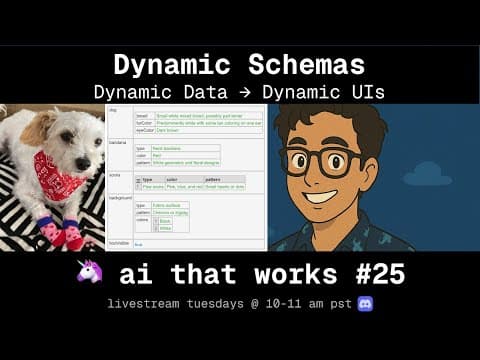
Dynamic Schemas
In this episode, Dex and Vaibhav explore the concept of dynamic UIs and how to build systems that can adapt to unknown data structures. They discuss the importance of dynamic schema generation, meta programming with LLMs, and the potential for creating dynamic React components. The conversation also delves into the execution and rendering of these dynamic schemas, highlighting the challenges and opportunities in this evolving field. They conclude with thoughts on future directions and the importance of building robust workflows around schema management.
Evals for Classification
In this episode of AI That Works, hosts Vaibhav Gupta and Dex, along with guest Kevin Gregory, explore the intricacies of building AI systems that are ready for production. They discuss the concept of dynamic UIs, the challenges of large-scale classification, and the importance of user experience in AI applications. The conversation delves into the use of LLMs for enhancing classification systems, the evaluation and tuning of these systems, and the subjective nature of what constitutes a 'correct' classification. The episode emphasizes the need for engineers to focus on accuracy and user experience while navigating the complexities of AI engineering. The speakers also discuss model upgrades, user feedback, and the importance of building effective user interfaces, emphasizing iterative development and rapid prototyping for chatbot performance evaluation.
Generative UIs and Structured Streaming
We'll explore hard problems in building rich UIs that rely on streaming data from LLMs. Specifically, we'll talk through techniques for rendering **STRUCTURED** outputs from LLMs, with real-world examples of how to handle partially-streamed outputs over incomplete JSON data. We'll explore advanced needs like * Fields that should be required for stream to start * Rendering React Components with partial data * Handling nullable fields vs. yet-to-be-streamed fields * Building high-quality User feedback * Handling errors mid-stream
Voice Agents and Supervisor Threading
Exploring voice-based AI agents and supervisor threading patterns for managing complex conversational workflows.
Claude for Non-Code Tasks
On #17 we talked about advanced context engineering workflows for using Claude code to work in complex codebases. This week, we're gonna get a little weird with it, and show off a bunch of ways you can use Claude Code as a generic agent to handle non-coding tasks. We'll learn things like: Skipping the MCP and having claude write its own scripts to interact with external systems, Creating internal knowledge graphs with markdown files, How to blend agentic retrieval and search with deterministic context packing
Interruptible Agents
Anyone can build a chatbot, but the user experience is what truly sets it apart. Can you cancel a message? Can you queue commands while it's busy? How finely can you steer the agent? We'll explore these questions and code a solution together.
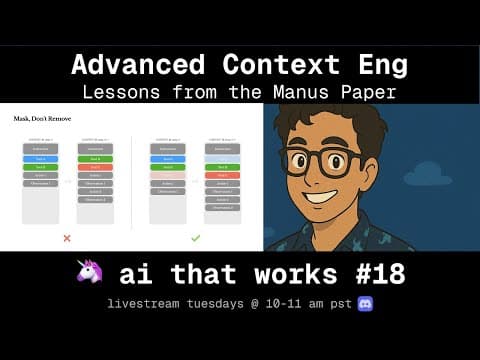
Decoding Context Engineering Lessons from Manus
A few weeks ago, the Manus team published an excellent paper on context engineering. It covered KV Cache, Hot-swapping tools with custom samplers, and a ton of other cool techniques. On this week's episode, we'll dive deep on the manus Article and put some of the advice into practice, exploring how a deep understanding of models and inference can help you to get the most out of today's LLMs.
Context Engineering for Coding Agents
By popular demand, AI That Works #17 will dive deep on a new kind of context engineering: managing research, specs, and planning to get the most of coding agents and coding CLIs. You've heard people bragging about spending thousands/mo on Claude Code, maxing out Amp limits, and much more. Now Dex and Vaibhav are gonna share some tips and tricks for pushing AI coding tools to their absolute limits, while still shipping well-tested, bug-free code. This isn't vibe-coding, this is something completely different.
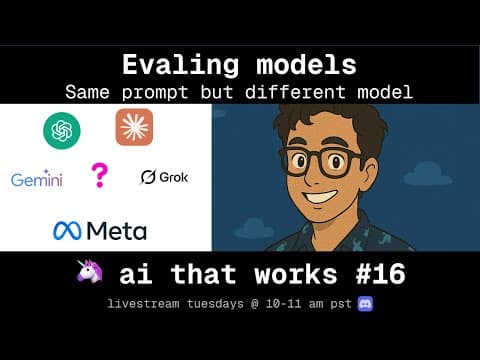
Evaluating Prompts Across Models
AI That Works #16 will be a super-practical deep dive into real-world examples and techniques for evaluating a single prompt against multiple models. While this is a commonly heralded use case for Evals, e.g. 'how do we know if the new model is better' / 'how do we know if the new model breaks anything', there's not a ton of practical examples out there for real-world use cases.

PDFs, Multimodality, Vision Models
Dive deep into practical PDF processing techniques for AI applications. We'll explore how to extract, parse, and leverage PDF content effectively in your AI workflows, tackling common challenges like layout preservation, table extraction, and multi-modal content handling.
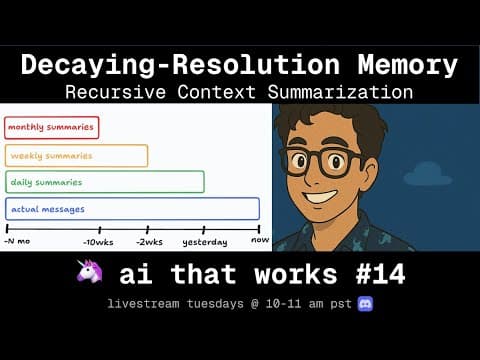
Implementing Decaying-Resolution Memory
Last week on #13, we did a conceptual deep dive on context engineering and memory - this week, we're going to jump right into the weeds and implement a version of Decaying-Resolution Memory that you can pick up and apply to your AI Agents today. For this episode, you'll probably want to check out episode #13 in the session listing to get caught up on DRM and why its worth building from scratch.
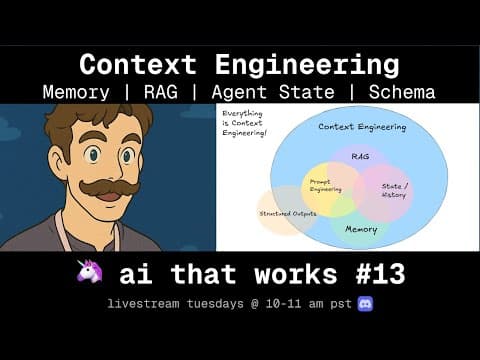
Building AI with Memory & Context
How do we build agents that can remember past conversations and learn over time? We'll explore memory and context engineering techniques to create AI systems that maintain state across interactions.
Boosting AI Output Quality
This week's session was a bit meta! We explored 'Boosting AI Output Quality' by building the very AI pipeline that generated this email from our Zoom recording. The real breakthrough: separating extraction from polishing for high-quality AI generation.
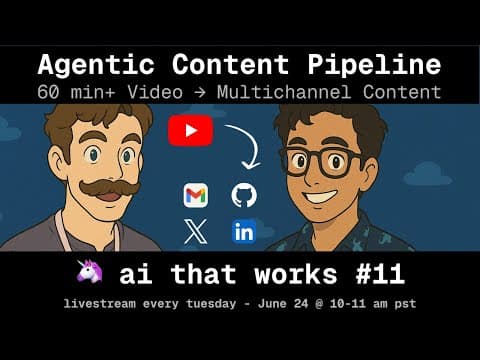
Building an AI Content Pipeline
Content creation involves a lot of manual work - uploading videos, sending emails, and other follow-up tasks that are easy to drop. We'll build an agent that integrates YouTube, email, GitHub and human-in-the-loop to fully automate the AI that Works content pipeline, handling all the repetitive work while maintaining quality.
Entity Resolution: Extraction, Deduping, and Enriching
Disambiguating many ways of naming the same thing (companies, skills, etc.) - from entity extraction to resolution to deduping. We'll explore breaking problems into extraction → resolution → enrichment stages, scaling with two-stage designs, and building async workflows with human-in-loop patterns for production entity resolution systems.
Cracking the Prompting Interview
Ready to level up your prompting skills? Join us for a deep dive into advanced prompting techniques that separate good prompt engineers from great ones. We'll cover systematic prompt design, testing tools / inner loops, and tackle real-world prompting challenges. Perfect prep for becoming a more effective AI engineer.
Humans as Tools: Async Agents and Durable Execution
Agents are great, but for the most accuracy-sensitive scenarios, we some times want a human in the loop. Today we'll discuss techniques for how to make this possible. We'll dive deep into concepts from our 4/22 session on 12-factor agents and extend them to handle asynchronous operations where agents need to contact humans for help, feedback, or approvals across a variety of channels.
12-factor agents: selecting from thousands of MCP tools
MCP is only as great as your ability to pick the right tools. We'll dive into showing how to leverage MCP servers and accurately use the right ones when only a few have actually relevant tools.

Policy to Prompt: Evaluating w/ the Enron Emails Dataset
One of the most common problems in AI engineering is looking at a set of policies/rules and evaluating evidence to determine if the rules were followed. In this session we'll explore turning policies into prompts and pipelines to evaluate which emails in the massive Enron email dataset violated SEC and Sarbanes-Oxley regulations.
Designing Evals
Minimalist and high-performance testing/evals for LLM applications. Stay tuned for our season 2 kickoff topic on testing and evaluation strategies.
Twelve Factor Agents
Learn how to build production-ready AI agents using the twelve-factor methodology. We'll cover the core concepts and build a real agent from scratch.
Code Generation with Small Models
Large models can do a lot, but so can small models. We'll discuss techniques for how to leverage extremely small models for generating diffs and making changes in complete codebases.
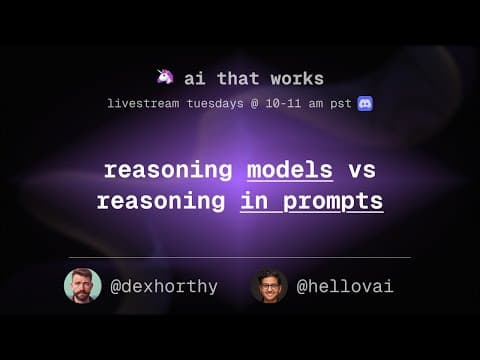
Reasoning Models vs Reasoning Prompts
Models can reason but you can also reason within a prompt. Which technique wins out when and why? We'll find out by adding reasoning to an existing movie chat agent.
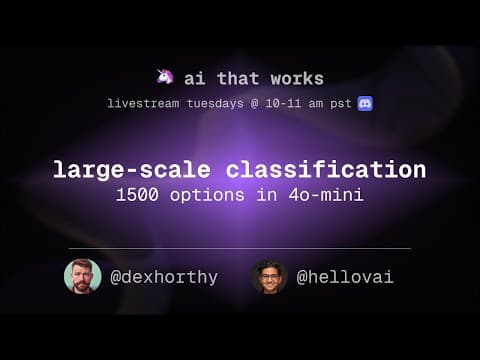
Large Scale Classification
LLMs are great at classification from 5, 10, maybe even 50 categories. But how do we deal with situations when we have over 1000? Perhaps it's an ever changing list of categories?