Multimodal Evals
Building evals for multimodal AI - testing vision models, document understanding, and image analysis with structured evaluation frameworks.
Project details
Open in GitHubMultimodal Evals: Receipt Data Extraction

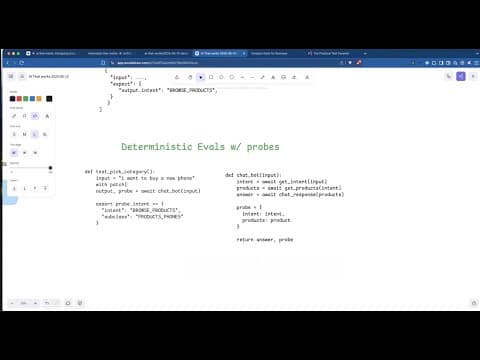
A complete system for evaluating vision LLM performance on structured data extraction from receipt images. This module demonstrates runtime evaluations—deterministic checks that validate LLM outputs without using another LLM as a judge.
Overview
This project extracts structured data from receipt images using BAML and a vision model (Gemini), then applies 6 mathematical/structural evaluation checks to validate the extraction quality.
Key Features
- 🖼️ Multimodal extraction: Process receipt images → structured JSON
- ✅ Runtime evals: 6 deterministic validation checks (no LLM-as-judge)
- 🔄 Automatic retry: Re-extracts on eval failure for improved accuracy
- 📊 Streamlit dashboard: Interactive visualization of results
- 📈 Run comparison: Compare evaluation results across different runs/models
Quick Start
1. Install Dependencies
cd 2025-12-02-multimodal-evals
uv sync
2. Set Up Environment
Create a .env file with your API keys:
GEMINI_API_KEY=your_gemini_api_key
# Or for other providers:
# OPENAI_API_KEY=your_openai_api_key
# ANTHROPIC_API_KEY=your_anthropic_api_key
3. Download the Dataset
uv run python load_cord_dataset.py
This downloads the CORD-v2 dataset (~2.2GB) containing 1,000 receipt images.
4. Run Evaluations
# Run evaluation on the dataset
uv run python src/receipt_evaluator.py

# With a custom name for the run
uv run python src/receipt_evaluator.py --run-name "gemini-flash-baseline"

# Adjust concurrency (default: 10)
uv run python src/receipt_evaluator.py --concurrency 5
5. View Results in Dashboard
uv run python -m streamlit run src/streamlit_app.py
Open http://localhost:8501 to explore the results.
The 6 Runtime Evaluation Checks
These evaluations run after LLM extraction and use pure math/logic—no LLM involved:
1. Sum Validation
Verifies: sum(transactions) + service_charge + tax + rounding - discount = grand_total
2. Positive Values
Ensures all monetary values are non-negative (except rounding and discount which can be negative).
3. Subtotal Consistency
When a subtotal is present: sum(transaction totals) = subtotal
4. Unit Price Accuracy
For each line item: (unit_price - unit_discount) × quantity = total_price
5. Grand Total Calculation
Verifies: subtotal + service_charge + tax + rounding - discount = grand_total
6. Data Completeness
Checks that required fields are present:
- Non-empty
transactionslist grand_totalexists- Each transaction has:
item_name,quantity,unit_price,total_price
Project Structure
2025-12-02-multimodal-evals/
├── baml_src/                    # BAML function definitions
│   ├── clients.baml             # LLM client configurations
│   ├── generators.baml          # Code generation settings
│   └── receipts.baml            # Receipt extraction schema & prompts
├── baml_client/                 # Auto-generated BAML client (don't edit)
├── src/
│   ├── receipt_evaluator.py     # Core evaluation logic & CLI
│   └── streamlit_app.py         # Dashboard UI
├── data/
│   └── cord-v2/                 # Downloaded dataset
│       └── images_and_metadata/
│           ├── train/           # Training images
│           ├── train_100/       # Subset for quick testing
│           └── ...
├── results/                     # Saved evaluation runs
│   └── 20251201_223504/         # Example run
│       ├── detailed_results.json
│       ├── summary.json
│       └── metadata.json
├── load_cord_dataset.py         # Dataset download script
├── pyproject.toml               # Project dependencies
└── README.md                    # This file
CLI Reference
# Run a new evaluation
uv run python src/receipt_evaluator.py

# Run with custom name
uv run python src/receipt_evaluator.py --run-name "my-experiment"

# Set concurrency for API calls
uv run python src/receipt_evaluator.py --concurrency 5

# List all saved runs
uv run python src/receipt_evaluator.py --list-runs

# Load and display a specific run
uv run python src/receipt_evaluator.py --load-run 20251201_223504

# Custom data directory
uv run python src/receipt_evaluator.py --data-dir /path/to/data
Programmatic Usage
from src.receipt_evaluator import ReceiptEvaluator

# Initialize evaluator
evaluator = ReceiptEvaluator(data_dir="./data")

# Run evaluations
results = evaluator.evaluate_all_receipts()

# Get summary statistics
stats = evaluator.get_summary_statistics(results)
print(f"Overall pass rate: {stats['overall_pass_rate']:.1%}")

# Save results
run_id = evaluator.save_results(results, run_name="my-experiment")

# Load previous results
results, summary = evaluator.load_results(run_id)
BAML Schema
The extraction uses this schema defined in baml_src/receipts.baml:
class Transaction {
  item_name string
  quantity int
  unit_price float
  total_price float
}

class ReceiptData {
  transactions Transaction[]
  subtotal float?
  tax float?
  grand_total float
}
Dashboard Features
The Streamlit dashboard provides:
| Tab | Description |
|---|---|
| 📊 Analysis | Bar charts showing pass/fail rates by evaluation check |
| 📋 Detailed Results | Per-receipt breakdown with images, extracted JSON, and eval outcomes |
| 🔄 Compare Runs | Side-by-side comparison across multiple evaluation runs |
Dataset: CORD-v2
This project uses the CORD-v2 dataset for receipt understanding:
- 1,000 receipt images (864×1296 pixels)
- Structured annotations with menu items, prices, and totals
- 3 splits: train (800), validation (100), test (100)
Citation
@article{park2019cord,
  title={CORD: A Consolidated Receipt Dataset for Post-OCR Parsing},
  author={Park, Seunghyun and Shin, Seung and Lee, Bado and Lee, Junyeop and Surh, Jaeheung and Seo, Minjoon and Lee, Hwalsuk},
  journal={Document Intelligence Workshop at NeurIPS 2019},
  year={2019}
}
Why Runtime Evals?
Traditional LLM evaluation often uses another LLM to judge outputs ("LLM-as-judge"). This approach has drawbacks:
- Expensive: Doubles API costs
- Non-deterministic: Different runs may give different scores
- Circular reasoning: Using LLMs to validate LLMs
Runtime evals solve this by using deterministic checks:
- ✅ Mathematical validation (do the numbers add up?)
- ✅ Schema validation (are required fields present?)
- ✅ Consistency checks (do related values agree?)
This is especially powerful for structured extraction tasks where the output has inherent mathematical relationships.
Troubleshooting
"Failed to spawn: streamlit"
Run with Python module syntax:
uv run python -m streamlit run src/streamlit_app.py
API Rate Limits
Reduce concurrency:
uv run python src/receipt_evaluator.py --concurrency 3
Missing Dataset
Run the download script first:
uv run python load_cord_dataset.py