AI Content Pipeline Revisited
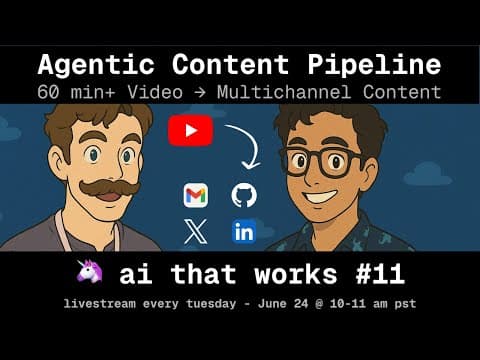
We have another meta episode this week! Several months ago, we did an episode back about automating the pipeline for generating the artifacts and content for this podcast. That pipeline became stale, and so we breathed some life back into it and we're going to discuss the different parts of that pipeline on the podcast. This episode will discuss everything that goes into bringing you an episode. We'll discuss - Details of the entire pipeline and tools we use to bring you each episode - How to get AI to have the right tone in freeform generation and not sound like AI - Browser agents - Finding clippable content from the transcript - Image generation - How far should automation go?
Project details
Open in GitHubWe have another meta episode this week! Several months ago, we did an episode back about automating the pipeline for generating the artifacts and content for this podcast. That pipeline became stale, and so we breathed some life back into it and we're going to discuss the different parts of that pipeline on the podcast.
Links:
Episode Highlights
Key Takeaways
- Automating doesn't have to be all or nothing. The
episode_prepClaude Code command took the weekly production work from three to four hours down to ten minutes, most of it hands-off — a massive win even with a human still in the loop at the end. Define what "done enough" looks like, build to that bar, then decide if the last 10% is worth chasing. - Automate the boring middle, not the risky ends. The pipeline doesn't auto-post everything; when a LinkedIn post or subscriber email is ready, a human reviews it before it ships. Define your "one-way door" actions: if you can delete or edit it later, automate it — if it's going to thousands of people, review it first.
- Define "automated enough" and ship the 90% version. The emails the pipeline generates are good 90% of the time, which means one round of edits instead of writing from scratch. Pushing from 90% to 99% takes roughly 10x the effort, so ship the 90% version, review it, and iterate.
- Specialized tools chained together do the heavy lifting. After you supply the episode title, description, date, and Luma slug, the sequence runs itself: NanoBanana Pro generates the thumbnail, a browser agent navigates the Riverside UI to fill in and publish the event form, and Luma is set up via its API.
- Build approval checkpoints directly into your workflows. Claude Code makes it easy to insert a human review step exactly where it matters, so the automation handles the repetitive work while you keep control over the high-stakes, irreversible actions.
Resources
- Session Recording
- Discord Community
- Sign up for the next session on Luma